Services at your fingertips
The Services tab is a single, widget-based home for every service a T-Mobile customer owns.
T-MOBILE
AGENCYKettle
ROLELead Interaction Designer
CONTRIBUTIONSUX/UI
IA
Product Design
App Design
Widget Design
T-Mobile's Locate tab in the T-Life app took up a fifth of the primary navigation, but customers found little value in it and weren't engaging with it. T-Mobile asked for a single system, built around its services, that could scale with the business and not just today's feature set. The brief was clear. What wasn't clear was how to prioritize the services each customer cares about most.
THE CHALLENGE
4%
TAB-WIDE ENGAGEMENT10
WIDGET SYSTEM+8%
APP-WIDE WEEKLY USERSEvery widget, built around one rule: status at a glance
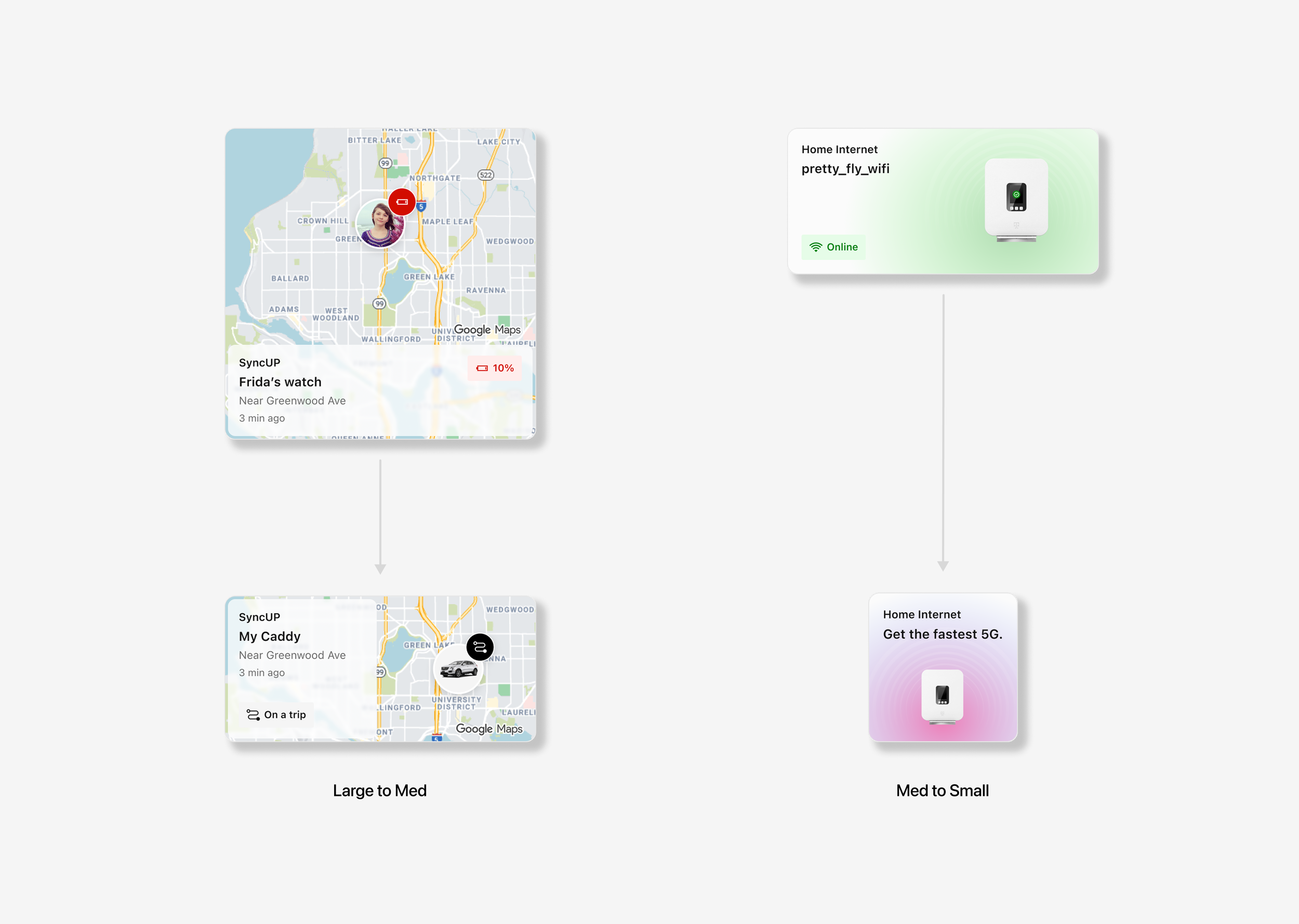
I set the direction for a bento-style widget system that shows real-time status, like network coverage, device status and account balance, so customers see everything without hunting through the app. Every widget follows one rule: a single touch target, no buttons inside, so the whole card is scannable and tappable in one motion. The system flexes across three customer types: prospects, basic and premium.
I led the team through exploring four widget sizes, cutting to three: large, medium and small. It was a content decision. Some services don't have enough information to justify a large card, so inflating them would mean adding padding and not data. Others need the room. SyncUP, a tracking widget, includes a map that reads better at the larger size.
A sizing system built for content
Designing a flexible, personalized widget experience
T-Mobile's product team wanted network coverage as the default top widget, since it's one of T-Mobile's biggest brand claims. Prior testing on the Locate tab said otherwise: network status is binary, with nothing to act on, while customers engaged more with services that carried real stakes. I brought that research to the team, and it held up. The default order stayed. What did ship was a long-press gesture that lets every customer reorder their own widgets. The default reflects the client's priority, and the experience reflects the customer's.